Key Takeaways
- The Data Protection entitlement raises the default protection for files your app writes.
- It must be in both the embedded provisioning profile and the app's code signature.
- If only one has it, nothing warns you and files fall back to weaker protection.
- Check every release, because signing changes can remove it silently.
What iOS Data Protection Does
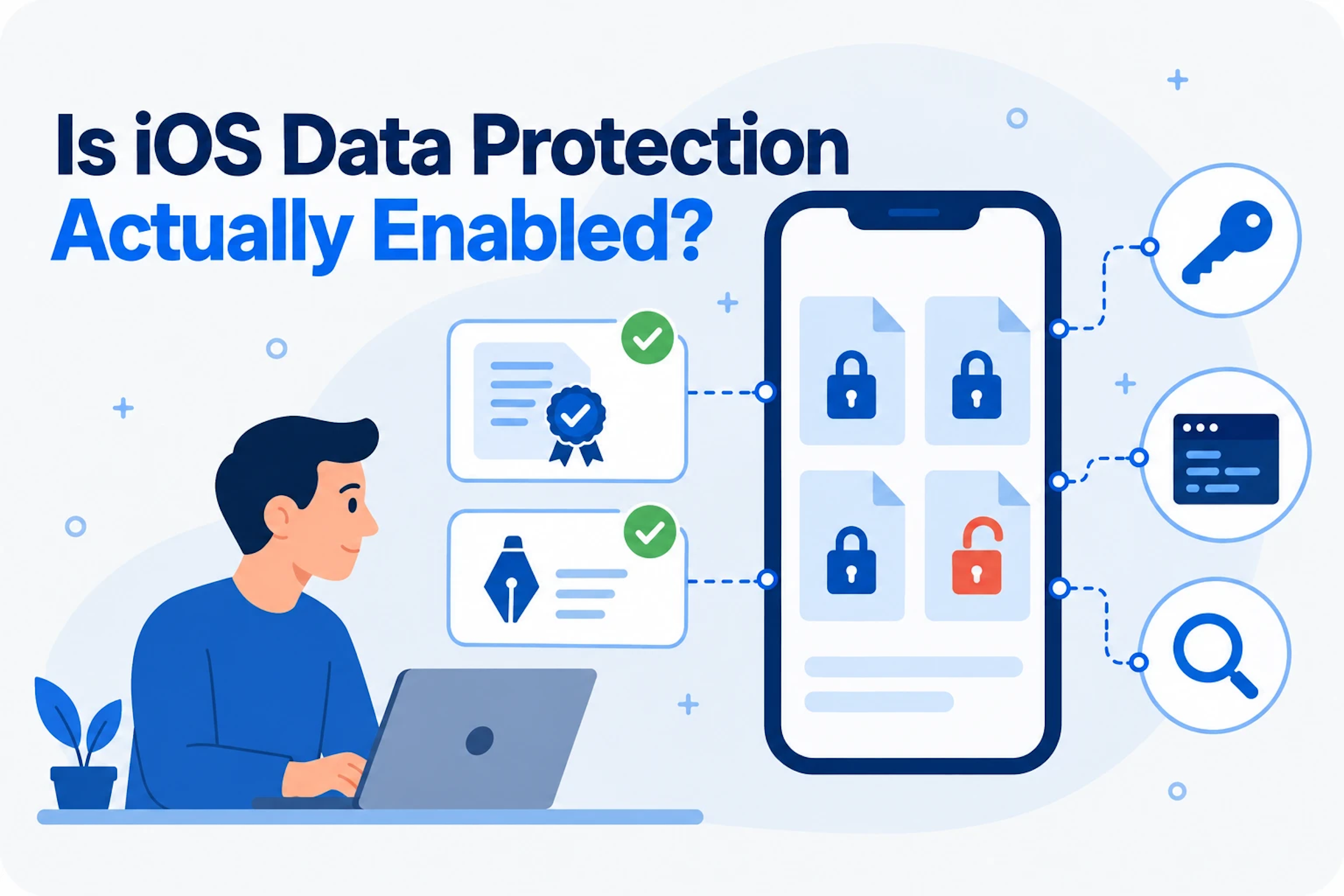
Every file an iOS app writes is assigned a data protection class. The class decides when the file's encryption key is available. With the strongest default class, NSFileProtectionComplete, a file can only be read while the device is unlocked. Without it, files get a weaker default that leaves them readable any time after the user has unlocked the device once since it started.
| Protection Class | When Files Can Be Read |
|---|---|
| Complete | Only while the device is unlocked. |
| Complete Unless Open | Files already open stay readable after the device locks. New files can still be written while locked. |
| Complete Until First User Authentication | Any time after the first unlock since the device started. This is the default. |
| None | Any time, including before the first unlock. |
Apps raise their default by adding the Data Protection capability in Xcode. That adds the com.apple.developer.default-data-protection entitlement to the app.
Why Turning It On in Xcode Is Not Enough
Data Theorem has seen many apps that enabled the capability in Xcode but were not getting the protection they expected. The reason is how iOS reads entitlements. The entitlement has to appear in two places in the signed app:
- The Provisioning ProfileThe profile embedded in the app bundle as embedded.mobileprovision.
- The Code SignatureThe entitlements signed into the .app bundle itself.
In our testing, iOS applied the stronger protection only when the entitlement was present in both. If only one of them lists it, the app installs and runs normally, nothing warns the developer, and files fall back to the weaker default class.
A mismatch fails silently.
The app builds, installs and runs. The only sign is that files are not protected the way you expect.
How to Check Your App
- Archive the app in Xcode and export an .ipa.
- Rename the .ipa to .zip and unzip it. Inside the Payload folder you will find YourApp.app.
- Check the entitlements in the code signature (first command below).
- Check the entitlements in the embedded provisioning profile (second command below).
# Entitlements in the code signature
codesign -d --entitlements :- "Payload/YourApp.app"

# Entitlements in the embedded provisioning profile
security cms -D -i "Payload/YourApp.app/embedded.mobileprovision"
Both outputs must contain this entitlement with the value NSFileProtectionComplete:
<key>com.apple.developer.default-data-protection</key>
<string>NSFileProtectionComplete</string>
If both do, Data Protection is enabled as intended. Apple documents the entitlement and the protection classes in its developer documentation on the Data Protection entitlement and on encrypting your app's files.
How to Fix a Mismatch
If the entitlement appears in one place but not the other, the provisioning profile is usually out of date. It was generated before the capability was turned on, so it does not include it.
- Confirm the capability is enabled for the App ID in your Apple Developer account, then regenerate the provisioning profile.
- If the mismatch persists, remove the local provisioning profiles Xcode has cached, so it cannot reuse a stale one.
- Archive again. In Xcode Organizer, choose Distribute App and use manual signing with the regenerated profile.
- Run both checks again to confirm the entitlement now appears in both places.
Make It Part of Every Release
A one-time check is not enough. Signing settings change when teams rotate certificates, add extensions, move to new build systems or regenerate profiles. A release that was correct last quarter can quietly lose the stronger protection. The check belongs in every release, alongside your other mobile security testing.
Mobile Secure scans every iOS and Android release and reports what data the app stores on the device and whether it is stored unencrypted, so gaps like this surface before the release reaches users. See our mobile application security testing checklist for the rest of what to check on every release.
Mobile SecureAutomated security and privacy testing of every iOS and Android release.Learn MoreRelated Data SheetMobile Secure Data SheetContinuous mobile app security testing for iOS and Android, on every release. This two-page overview covers how Mobile Secure combines static, dynamic, and behavioral analysis on real devices with third-party SDK review, auto-triaged alerts to Slack, Teams, or email, and secure-code remediation that closes findings in days. Includes supported frameworks, compliance coverage (PCI DSS, HIPAA, GDPR, SOC 2, and more), and CI/CD integration details.Read Now
Frequently Asked Questions
What is the iOS Data Protection entitlement?
com.apple.developer.default-data-protection sets the default protection class for files your app creates. Set to NSFileProtectionComplete, files are only readable while the device is unlocked.
Are files encrypted without it?
Files on iOS are encrypted, but without the entitlement they get a weaker default class that keeps them readable any time after the first unlock since the device started.
Why does the capability sometimes fail to apply?
The entitlement must be in both the embedded provisioning profile and the app's code signature. An outdated profile is the most common cause of a mismatch.
How often should I check?
On every release, since signing and provisioning changes can remove the entitlement without any visible error.
Check Every Release Automatically
See how Mobile Secure finds data stored unencrypted on the device, and the rest of the checklist, in every iOS and Android release.